- Import Wavetables – Show open panel and read included WTBD messages (if any) from sysex or midi file
- Export Wavetables – Show save panel and write all loaded WTBD messages to sysex file
- Dump Wavetable(s) – Send current wavetable (or all loaded usertables, if option key is down) to Blofeld
- View/Edit Wave – Open BloWaveEditor (no edit, only visualization implemented so far)
Category: Version History
GOFTER Version 1.0.8
The Waldorf™ Blofeld Firmware v1.22 edition
- GUI clean-up for the famous sound bank window (Popup menus for bank select, tool tips for table action related buttons)
- Patch names are copied bank-wise for ease of use in Logic™ environment
- Prepend device name to output port name from Blofeld USB driver
GOFTER v1.0.7
Maintenance update
- New feature: Banks can now be individually requested from the blofeld
- New feature: Banks can now be individually dumped from the library to the blofeld
- Bugfix: After drag’n’dropping a patch, a spurious prg chg was sent after the dump
- Bugfix: Wait one second after sending a sound dump to avoid that the blofeld gets stuck
MWAV v5.3.9, MW2E v5.3.9, GOFTER v1.0.5
Poor Man’s Microwave XT
An Interface Study
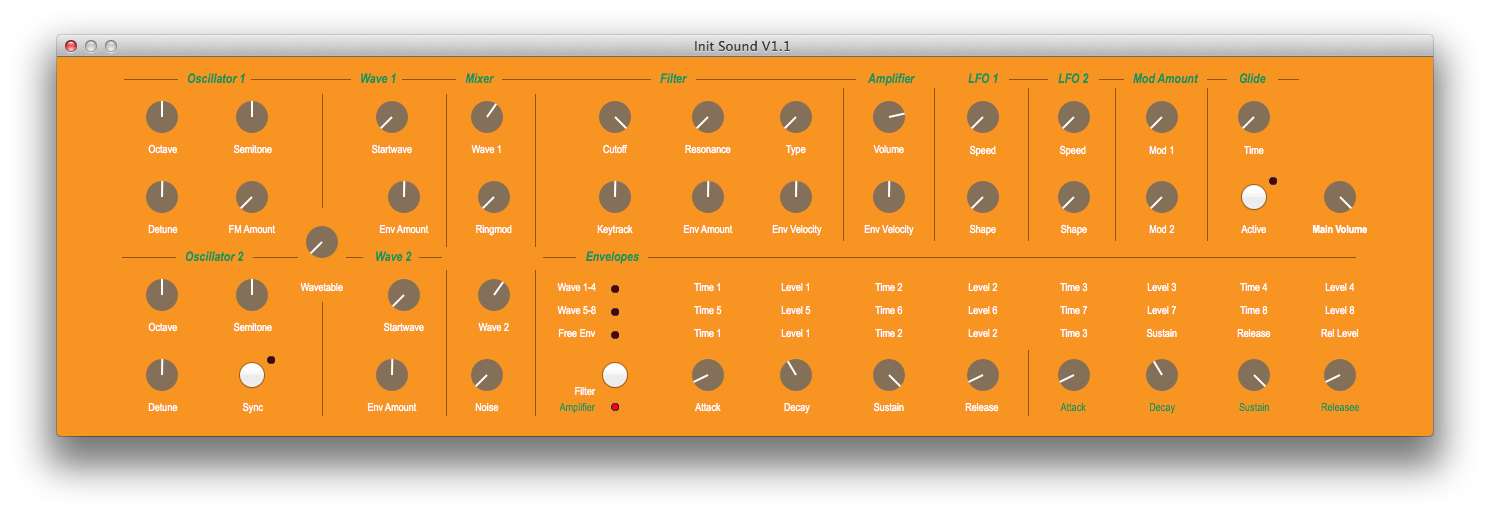
MWAV/MW2E Version 5.3.5
- Sound Editor Interface Style can now be switched in the preferences dialog
- MWAV: In addition to the BIG PANEL and CLASSIC interface, an ACCESS(TM)-inspired view is available
GOFTER version history
GOFTER-v1-0-1
- Envelope trigger values were wrong
- Wavetable names are read from plist file
- Global parameters and multi programs are now in separate windows
- Multi programs are switched via bank MSB (CC#0) value 127
- Multi program parameters can be edited (but are not send in realtime yet)
- Ensured that the software is Blofeld System 1.16beta compatible
GOFTER-v1-0-0 (RTW)
- Effects mix is now working (the penultimate bug fix)
GOFTER-v0-8-0 (GM)
- Change button title on option key down from “Init sound” to “Init all”
- Visualization of filter order (6dB/12dB) for HP and LP
- Renamed “Global Params/Multi Programs” button to “Global Params”
- Fixed Modulation IBActions
- Request version number on synchronize destinations
GOFTER-v0-7-0 (RC4, miscellaneous tweaks for upcoming GM)
- Setting the Device ID is forbidden to avoid disconnection
- After sending a patch to the blofeld, we are waiting one second before proceeding to avoid MIDI overflow
- Alert if invalid characters in sound name or sound name is empty
- Omit Device family member code “Desktop” from universalDeviceInquiry result
- Visualization of envelopes as described in the manual
GOFTER-v0-6-0 (RC3, Feature Update, bug fixes)
- Progress bar for Request all now updates with received message count
- LFO Delay and Fade Value parameters now accept textual input too
- Visualization of envelopes improved (but still imperfectly)
- Modulation parameters box flipped, so it scrolls to top at init
GOFTER-v0-5-0 (RC2, Feature Update)
- Sliders are now reacting on scroll wheel events
- Sound banks can now be read from MIDI files and written too. Other included sysex messages are preserved, unless they are redundant.
- Help book updated
MW2E Version 5.3.3
MW2E-v5-3-3 & MWAV-v5-3-3 (Feature Update)
MW2E Version 5.3.0
MW2E is now distributed as two separate programs: MWAV for the Microwave 1 and MW2E for the Microwave 2.
Main features include:
Completely redesigned sound editor interface and program bank manager with drag&drop support.
- A Sound Bank can be opened, for instance “mwsset1.syx” and all sounds can be dumped to the Microwave afterwards.
- A new Sound Bank library can also be set up.
- Individual slots in the Sound Bank can be initialized.
- Sounds can be drag&dropped from the Sound Bank to the Microwave.
- Sounds can be drag&dropped from the Microwave to the Finder.
- Sounds can be drag&dropped from the Finder to the Sound Bank.
- The Microwave table can be updated by selecting either “Request all sounds” or “Request Sound” (for the current selected row).
- “Edit sound” opens a window for editing a Sound Program.
MWAV for the Microwave 1 can be downloaded here:
http://12decode.de/MW2E/downloads/MWAV.dmg
After installing the new version, the registration key has to be re-entered.
MW2E for the Microwave II/XT can be downloaded here:
http://12decode.de/MW2E/downloads/MW2E.dmg
(The latter may also be updated from inside the application).
MW2E Version 5.2.8
Main Feature: Tuning tables can now be edited based on pitch classes with presets supplied for pythagorean and other musical temperaments.
BTW, if you feel annoyed by getting an email of every new post, remember that you can always manage your subscription from the main page.