- Math expressions parser for Wavetable Editor with presets
- Edited wavetable name gets propagated for the sound edit window
- Minor bug fix in keycode window
Author: admin
GOFTER Version 1.0.9 (The User Wavetables Preview Edition)
- Import Wavetables – Show open panel and read included WTBD messages (if any) from sysex or midi file
- Export Wavetables – Show save panel and write all loaded WTBD messages to sysex file
- Dump Wavetable(s) – Send current wavetable (or all loaded usertables, if option key is down) to Blofeld
- View/Edit Wave – Open BloWaveEditor (no edit, only visualization implemented so far)
GOFTER Version 1.0.8
The Waldorf™ Blofeld Firmware v1.22 edition
- GUI clean-up for the famous sound bank window (Popup menus for bank select, tool tips for table action related buttons)
- Patch names are copied bank-wise for ease of use in Logic™ environment
- Prepend device name to output port name from Blofeld USB driver
GOFTER v1.0.7
Maintenance update
- New feature: Banks can now be individually requested from the blofeld
- New feature: Banks can now be individually dumped from the library to the blofeld
- Bugfix: After drag’n’dropping a patch, a spurious prg chg was sent after the dump
- Bugfix: Wait one second after sending a sound dump to avoid that the blofeld gets stuck
MWAV v5.3.9, MW2E v5.3.9, GOFTER v1.0.5
Poor Man’s Microwave XT
An Interface Study
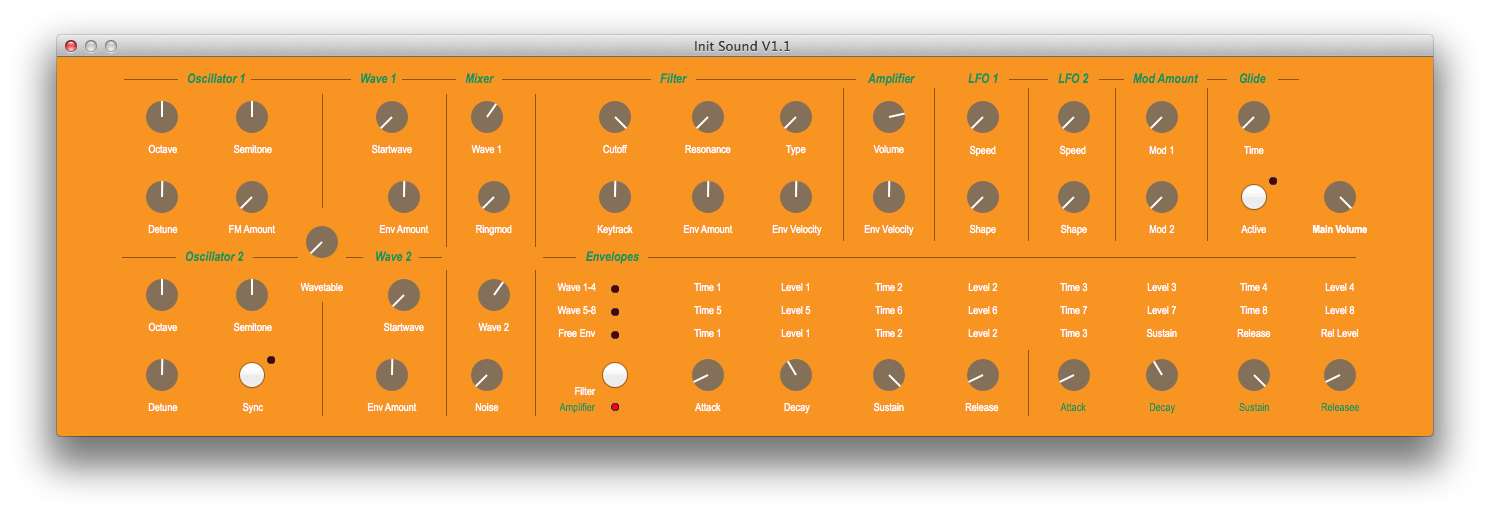
MWAV/MW2E Version 5.3.5
- Sound Editor Interface Style can now be switched in the preferences dialog
- MWAV: In addition to the BIG PANEL and CLASSIC interface, an ACCESS(TM)-inspired view is available
GOFTER version history
GOFTER-v1-0-1
- Envelope trigger values were wrong
- Wavetable names are read from plist file
- Global parameters and multi programs are now in separate windows
- Multi programs are switched via bank MSB (CC#0) value 127
- Multi program parameters can be edited (but are not send in realtime yet)
- Ensured that the software is Blofeld System 1.16beta compatible
GOFTER-v1-0-0 (RTW)
- Effects mix is now working (the penultimate bug fix)
GOFTER-v0-8-0 (GM)
- Change button title on option key down from “Init sound” to “Init all”
- Visualization of filter order (6dB/12dB) for HP and LP
- Renamed “Global Params/Multi Programs” button to “Global Params”
- Fixed Modulation IBActions
- Request version number on synchronize destinations
GOFTER-v0-7-0 (RC4, miscellaneous tweaks for upcoming GM)
- Setting the Device ID is forbidden to avoid disconnection
- After sending a patch to the blofeld, we are waiting one second before proceeding to avoid MIDI overflow
- Alert if invalid characters in sound name or sound name is empty
- Omit Device family member code “Desktop” from universalDeviceInquiry result
- Visualization of envelopes as described in the manual
GOFTER-v0-6-0 (RC3, Feature Update, bug fixes)
- Progress bar for Request all now updates with received message count
- LFO Delay and Fade Value parameters now accept textual input too
- Visualization of envelopes improved (but still imperfectly)
- Modulation parameters box flipped, so it scrolls to top at init
GOFTER-v0-5-0 (RC2, Feature Update)
- Sliders are now reacting on scroll wheel events
- Sound banks can now be read from MIDI files and written too. Other included sysex messages are preserved, unless they are redundant.
- Help book updated
MW2E Version 5.3.3
MW2E-v5-3-3 & MWAV-v5-3-3 (Feature Update)
MW2E Version 5.3.0
MW2E is now distributed as two separate programs: MWAV for the Microwave 1 and MW2E for the Microwave 2.
Main features include:
Completely redesigned sound editor interface and program bank manager with drag&drop support.
- A Sound Bank can be opened, for instance “mwsset1.syx” and all sounds can be dumped to the Microwave afterwards.
- A new Sound Bank library can also be set up.
- Individual slots in the Sound Bank can be initialized.
- Sounds can be drag&dropped from the Sound Bank to the Microwave.
- Sounds can be drag&dropped from the Microwave to the Finder.
- Sounds can be drag&dropped from the Finder to the Sound Bank.
- The Microwave table can be updated by selecting either “Request all sounds” or “Request Sound” (for the current selected row).
- “Edit sound” opens a window for editing a Sound Program.
MWAV for the Microwave 1 can be downloaded here:
http://12decode.de/MW2E/downloads/MWAV.dmg
After installing the new version, the registration key has to be re-entered.
MW2E for the Microwave II/XT can be downloaded here:
http://12decode.de/MW2E/downloads/MW2E.dmg
(The latter may also be updated from inside the application).